Magazine production requires business strategy, editorial prowess, creativity, and technical expertise. There are so many different pieces that need to come together so your magazine is interesting, entertaining, and fills a market need—all while offering an enjoyable, branded reading experience.
And the production process is very different for print magazines than it is for digital editions. Both versions require different software, talents, and quality review steps.
In this guide, we walk you through the magazine production process for both print and digital offerings.
Print magazine production
Ready to create a world-class print magazine? Follow these essential magazine production steps.
Step 1. Conceptualize and plan your magazine
The first step in producing a magazine is planning and conceptualization. This involves defining the magazine’s purpose, target audience, and unique selling points. An editorial calendar will help your team map out the content for each issue, including themes, feature articles, and regular columns. During this phase, you’ll also want to get a handle on your budget so you can allocate resources for content creation, design, printing, and distribution. This matters more than ever: newsprint prices climbed to $580–$670 per metric ton by 2025, nearly double what they were five years earlier, so print budgets need more cushion than they used to.
Get the groundwork right:
- Clearly define your target audience so content and design decisions stay grounded, not guessed at.
- Build a detailed editorial calendar before content creation starts, not after.
- Budget with room for price swings, not just last year’s numbers. Paper costs alone have nearly doubled since 2020.
Step 2. Create content
Content creation is the backbone of any magazine. During this phase, you’ll assign topics to writers, photographers, and other contributors, conducting necessary research and interviews, and drafting and editing articles. All content should align with the magazine’s mission and brand.
Keep the content pipeline moving:
- Match writers to subjects they actually know, not just whoever’s available.
- Set clear deadlines and check-ins with contributors so nothing stalls the schedule.
- Treat editing as a priority, not a formality. It’s where readability and accuracy actually get fixed.
Step 3. Create your design and layout templates
The design and layout phase brings the magazine’s content to life visually. Develop a consistent design template that includes fonts, colors, and layout styles. Artwork and photography should be sourced or commissioned to complement the articles, and page layout should be meticulously crafted using design software like Adobe InDesign.
Design decisions worth getting right the first time:
- Lock in templates early so every page and column feels consistent.
- Choose imagery that adds to the story, not just fills space.
- Favor clean, navigable layouts over dense ones. Cluttered pages lose readers fast.
Step 4. Plan the pagination
Pagination involves determining the total number of pages and organizing content and advertisements in a logical flow. You need to create a flatplan to help you visualize the magazine’s layout, ensuring that articles and ads are strategically placed. Assign page numbers and create a cohesive flow from one page to the next.
Build a flatplan that actually flows:
- Map out your flatplan before locking any layout decisions.
- Check that multi-page articles read smoothly across the jump.
- Position ads where they won’t interrupt the reading experience.
Step 5. Proofread and make final edits
Proofreading and final edits are critical to producing a polished magazine. This step involves fact checking and checking for grammatical errors, typos, and layout issues, as well as verifying all facts and figures. Final edits are usually made to catch any last grammatical errors or improve consistency in both style and tone, making the magazine ready for print.
Catch errors before they go to print:
- Bring in a professional proofreader. Fresh eyes catch what the editing team misses.
- Fact-check every claim. Credibility is hard to win back once it’s lost.
- Run more than one proofing pass. Errors that survive round one often surface in round two.
Step 6. Get your files ready to print
Pre-press checks make sure that all files are print-ready and have proper resolution and color settings. Choose a suitable printing method, such as digital or offset. Handling the printing process, including binding and finishing, are part of this phase. High-quality printing is vital for a professional-looking magazine, so you may need to test out different printing vendors until you’re satisfied.
Set yourself up for a clean print run:
- Confirm file specs with your printer before submission, not after a rejected proof.
- Weigh printing methods against both budget and the quality bar you’ve set.
- Always review a physical proof. Screen colors and paper colors rarely match exactly.
Step 7. Distribute your magazine
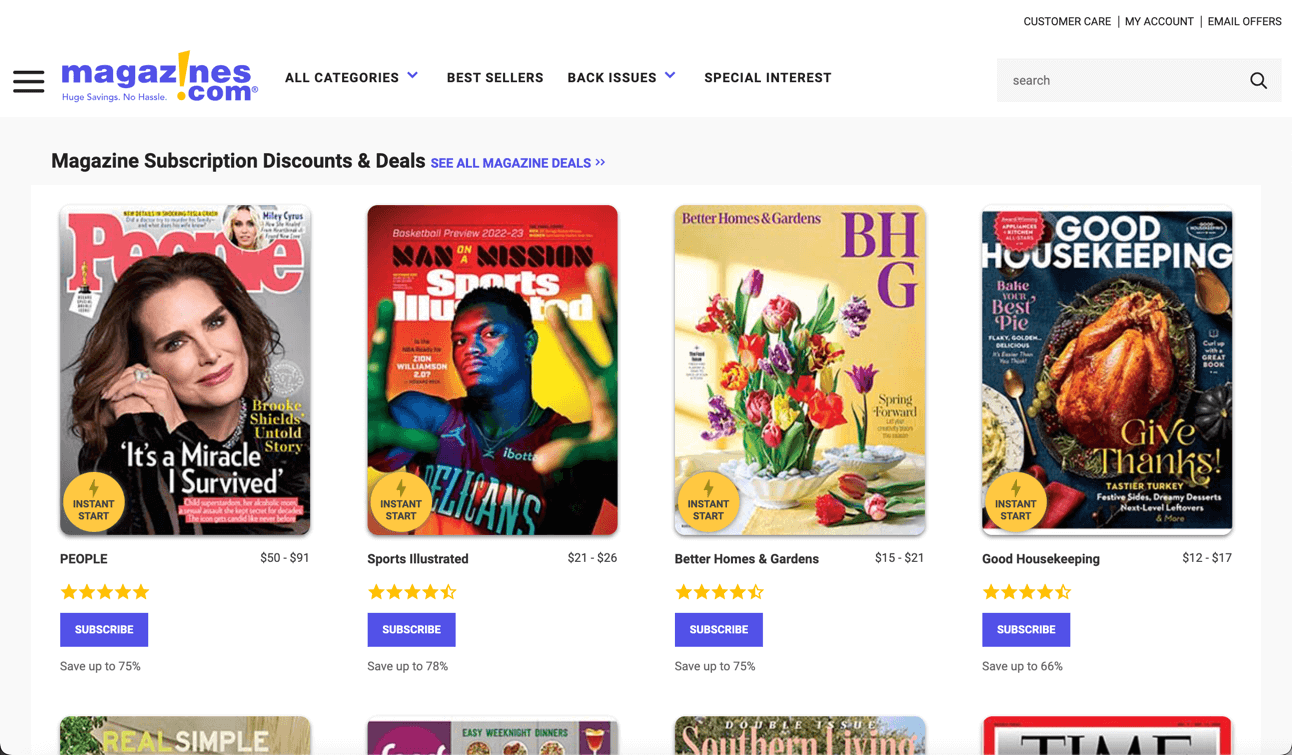
Distribution is the final step in magazine production. Make a plan for how you will distribute your magazine, whether through subscriptions, newsstands, or digital platforms. Because distribution is quite literally a logistical nightmare, the vast majority of publishers outsource distribution. Postage adds another layer of unpredictability: USPS mailing rates, including Periodicals, rose by an average of 4.8% as of July 2026, the latest in a series of regular increases publishers have had to absorb.
Check out our list of the top magazine distribution services for help. Our guide to magazine marketing is also great for growing your subscriber base.
Plan distribution before you need it:
- Map every channel you’ll use, such as subscriptions, newsstands, and digital, before the issue is finished.
- Vet logistics partners on reliability, not just price, especially as postage costs climb.
- Line up social and marketing promotion so distribution and awareness launch together.
Digital magazine production
The easiest way to produce a digital magazine is to convert the PDF version of your print magazine into a digital edition.
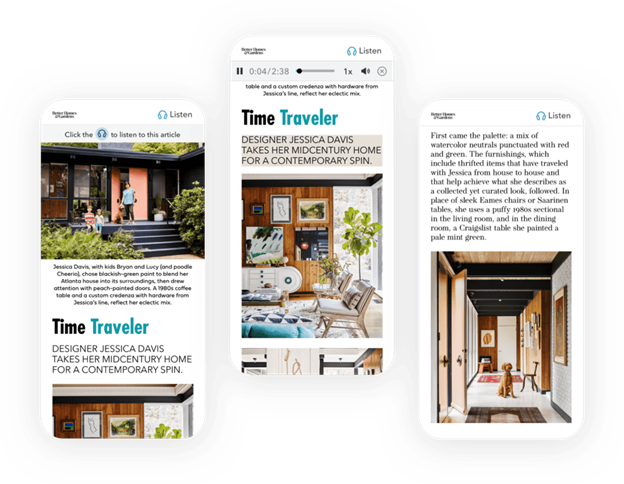
Here’s an example of a digital magazine produced with eMagazines:
Below, we walk you through the necessary steps to create your own print magazine.
Step 1: Upload your PDF file to the converter
The first step is to upload the PDF file into the digital magazine platform. At eMagazines, we work closely with publishers to provide digital magazine production and delivery services. However, some clients prefer to handle the process themselves using our tools.
Tips for this phase:
- Make sure your PDF file is free of errors before uploading.
- Check our guidelines for optimal PDF settings.
- Consider how closely you want the digital version to match the PDF styling so you know what to expect when reviewing the output.
Step 2: Make sure the style matches your brand
After uploading the PDF, the digital magazine content should display as lifelike as possible. The platform will reflow the content into a single-column view to enhance readability. Scroll through the content to check that all styling (including byline, headline, and body copy fonts) matches your brand’s design standards.
Tips for this phase:
- Use brand guidelines to verify font and style consistency.
- Check that all images and text are correctly imported.
- Make adjustments as needed to align with your brand identity.
Step 3: Create filters to easily fix repetitive issues
Next, create quick rules to address any recurring issues. For example, you might want to remove automatic image credits. Set up filters to handle such repetitive tasks automatically, saving you time and ensuring consistency throughout the magazine.
Tips for this phase:
- Identify common issues that need automatic correction.
- Use our filter settings to streamline these fixes.
- Regularly review and update filters as needed for future issues.
Step 4: Double-check the table of contents
Click on the TOC icon to view the Table of Contents. Verify that the date, titles, descriptions, and bylines for all articles are correctly pulled in. Double-check that each link in the TOC works properly, allowing readers to navigate the magazine efficiently.
Tips for this phase:
- Cross-check TOC entries with your editorial calendar.
- Test each link to confirm it directs to the correct article.
- Update any incorrect or missing information promptly.
Step 5: Add deep links to your cover page
Before publishing, add deep links to your cover page. These links enable readers to click on a cover blurb and be taken directly to the corresponding article. Generate links for each article featured on the cover and create clickable areas on the cover page.
Tips for this phase:
- Highlight key articles on your cover for better engagement.
- Check that links are accurately placed and tested.
- Make the cover visually appealing while maintaining functionality.
Step 6: Add AI-generated audio to each article (if desired)
AI-generated article audio can be a valuable feature for your digital magazine, enhancing accessibility and convenience. Head to the article audio dashboard and click “Submit Audio” to generate high-quality audio content. Choose a voice that best matches your brand and make sure that the “Listen” button is prominently displayed.
Tips for this phase:
- Select a voice that aligns with your brand’s tone.
- Test audio playback and quality on each article.
- Highlight the audio feature in your magazine’s promotional materials.
Step 7: Preview your digital magazine in mobile view
The final step is to preview your digital magazine in mobile view. You want to make sure it looks great on mobile devices as well as desktops. Scroll and swipe through the articles, checking for any style or content errors. If you’ve added audio, test the files to make sure they play correctly.
Tips for this phase:
- Use different devices to test the mobile view.
- Check that interactive elements function properly.
- Make final adjustments based on your preview to optimize the reader experience.
How to produce a digital magazine without a print edition
At eMagazines, we offer the services and software needed to create beautiful mobile editions. For most of our clients, we take the print edition of their magazine and reflow it into a mobile edition that is easy to read and branded. However, if you don’t have a print offering and only release digital content, we can work with PDFs or other popular file formats and add your branding in via fonts and font colors for titles, bylines, captions, etc.
Create the most beautiful digital edition of your magazine with eMagazines’s mobile-optimized reader.
Frequently asked questions
How long does it typically take to produce a print magazine versus a digital one?
Print production usually takes several weeks to months, factoring in design, proofing, and print runs. Digital production is dramatically faster since it skips printing and physical distribution entirely, converting a PDF into a digital edition can often be done in days, making it a strong option for tighter deadlines.
Do I need separate content for my print and digital editions?
No. Most publishers reuse the same content and simply reflow it for digital. The text, photography, and branding stay consistent; only the layout changes to fit a single-column, mobile-friendly format. This makes producing a digital edition alongside your print run far less resource-intensive than creating two publications.
How can I reduce print production costs without cutting quality?
Lock in paper orders further ahead of your print date, since prices fluctuate and waiting rarely helps. Bundling print runs across multiple issues can also improve per-unit pricing. If postage is a major expense, shifting even part of your distribution to digital reduces mailing volume without sacrificing reach.
What’s the biggest mistake publishers make when converting a PDF to a digital magazine?
Treating the conversion as a one-click process and skipping the styling review. Automated tools handle the heavy lifting, but fonts, image credits, and spacing often need manual adjustment. Publishers who skip this step end up with a digital edition that looks noticeably less polished than their print original.