
Looking to publish a digital magazine?
Over the past 20 years spent working with publishers and digital products, I’ve seen one issue come up again and again: too many digital editions are built for print layouts instead of real readers. If your audience has to pinch and zoom their way through a magazine on their phone, the experience is already broken.
Whether you’re launching your very first digital edition or rethinking an outdated workflow, the goal should be simple: create a reading experience that feels effortless on every device. I’ve worked with publishers of all sizes, and the biggest gains almost always come from improving accessibility, readability, and mobile usability.
In this guide, I’ll show you how to create mobile-optimized magazine content with clean, single-column layouts that look great across phones, tablets, and desktops, so your content is always easy to read and engage with.
Plus, we’ll cover the top publishing platforms for media companies, creators, and enterprises looking to deliver premium digital editions the right way.
Types of digital magazines
When you think of a “digital magazine,” you might be envisioning something completely different from the next person. That’s because there are a few different types of digital magazines and there isn’t concensus on a single format. Instead, there are varying options that can fit each company’s needs. The ultimate goal should be readability, and secondary to that is the ease of publication. Below we’ll review the different types and their pros and cons.
Embedded PDFs and flipbooks
Embedded PDFs and flipbooks are one of the most common and accessible ways to publish a digital magazine online. With this format, publishers upload a PDF version of their print layout into a viewer that allows readers to flip through pages digitally. This option works well for small businesses, event programs, travel guides, catalogs, and organizations that want a quick, low-cost way to share visually designed content without rebuilding it for the web.
Pros and cons: The biggest benefit is ease of publication. You can quickly turn a print PDF into digital content without redesigning it. The downside is readability. Because the layout stays fixed, readers often need to pinch and zoom on mobile devices, especially with smaller fonts and multi-column designs.
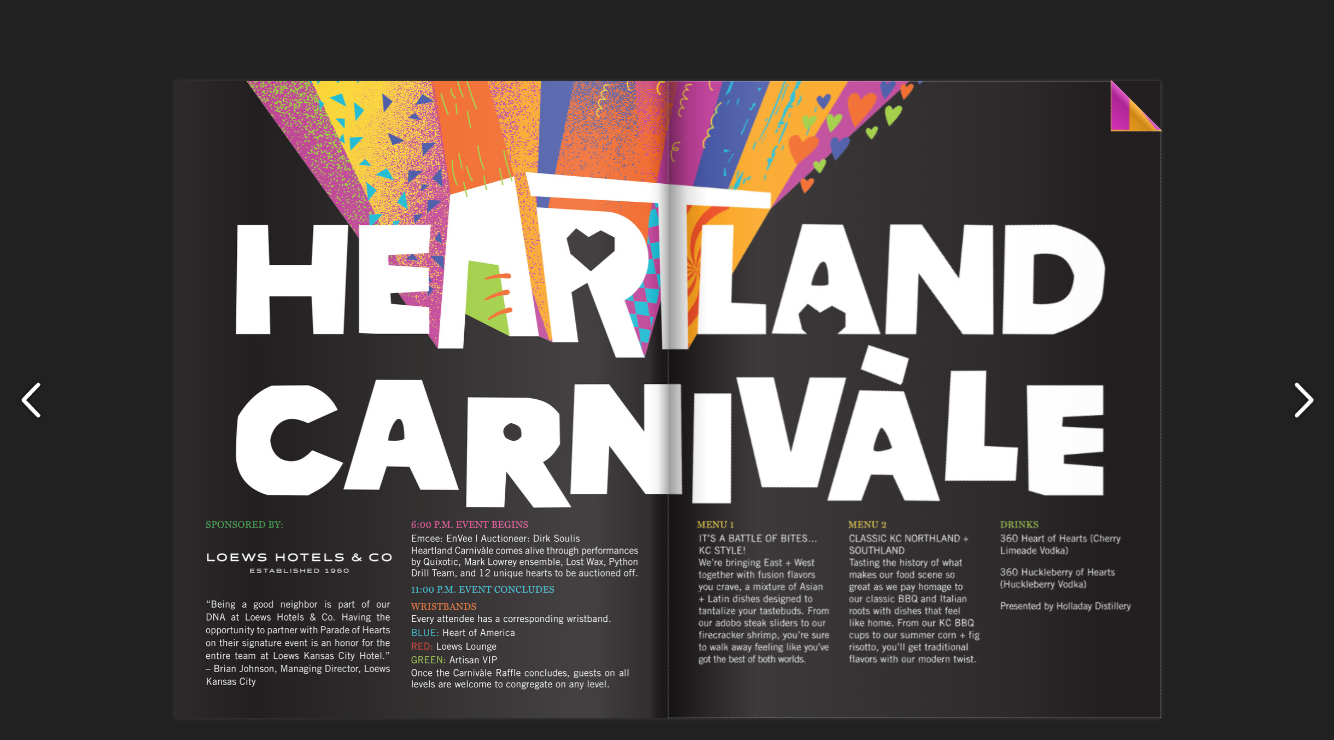
Example: Heartland Carnivale sponsored by Loews Hotels uses a flipbook-style experience for its event content. The design works best on tablets, laptops, and desktops where full-page layouts are easier to view. A key takeaway with this format is that font sizes need to be intentionally large to remain legible. While visually appealing, flipbooks generally don’t perform as well on phones because readers must constantly zoom and pan to read comfortably.
Digital articles published with your CMS
This format uses your website’s CMS, such as WordPress or Drupal, to publish magazine-style articles directly to the web instead of uploading PDFs. It’s a great option for publishers, media brands, and businesses that prioritize SEO, fast publishing, and discoverability through search and social media.
Pros and cons: CMS-published articles are easy to read on mobile devices, load quickly, and perform well in search engines. They’re also flexible for multimedia, linking, and ongoing updates. The downside is that they can sometimes lose the curated, premium feel of a traditional magazine issue unless the design experience is handled really well.
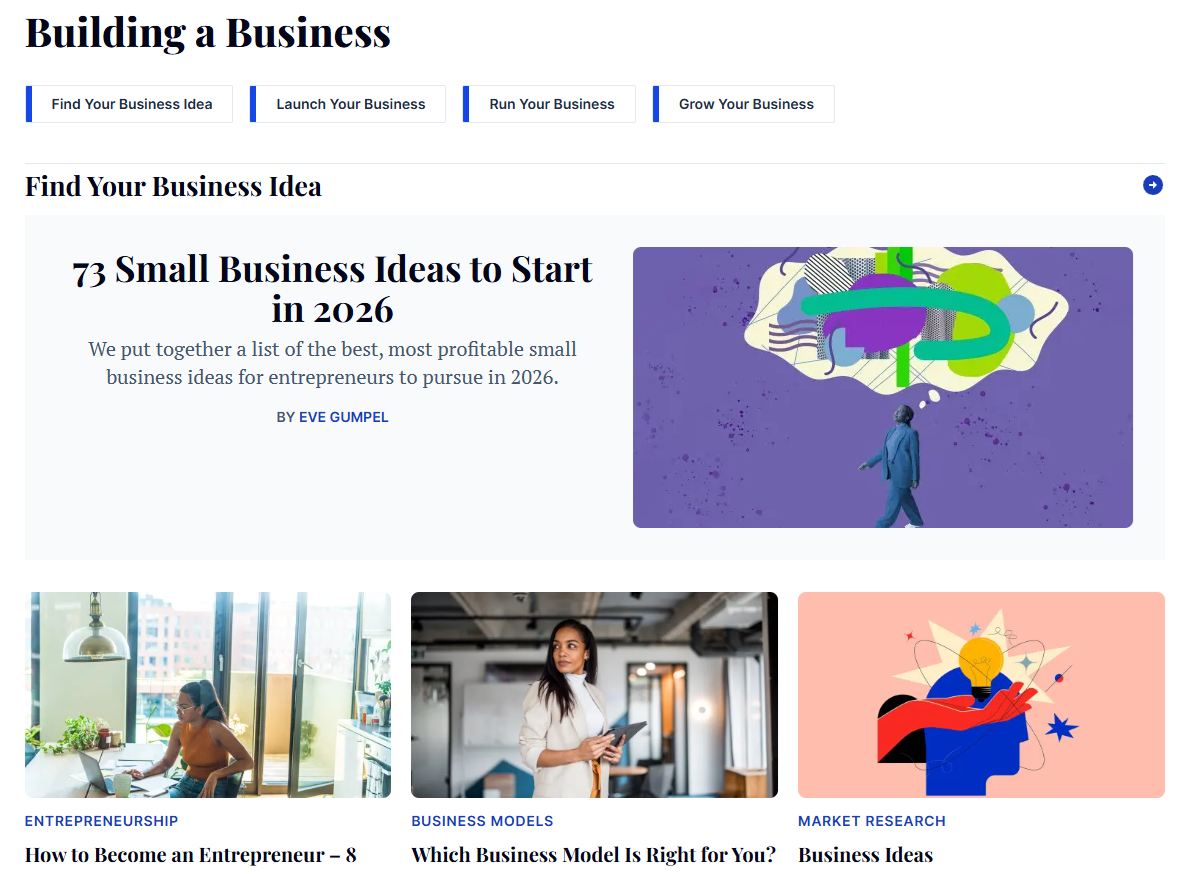
Example: Entrepreneur.com is a strong example of magazine-style content published directly through a CMS. Articles are broken into clean, readable sections with large headlines, strong imagery, and easy navigation across topics. One big takeaway is that digital articles don’t need to feel “plain” to perform well—they can still feel polished and editorial while being fully optimized for mobile readers and search traffic.
A magazine mobile app
Magazine mobile apps (either iOS or Android) give readers a dedicated place to access digital issues on their phones and tablets. This format is popular with large media brands and subscription publishers that want a presence in the Apple App Store or Google Play Store and want to offer premium features like offline reading.
Pros and cons: Apps create a polished, premium experience and make it easy for subscribers to keep all of their issues in one place. Readers can often download editions for offline access, which is especially useful for travel. The downside is that apps require ongoing development, maintenance, and app store management, making them more expensive and complex to operate.
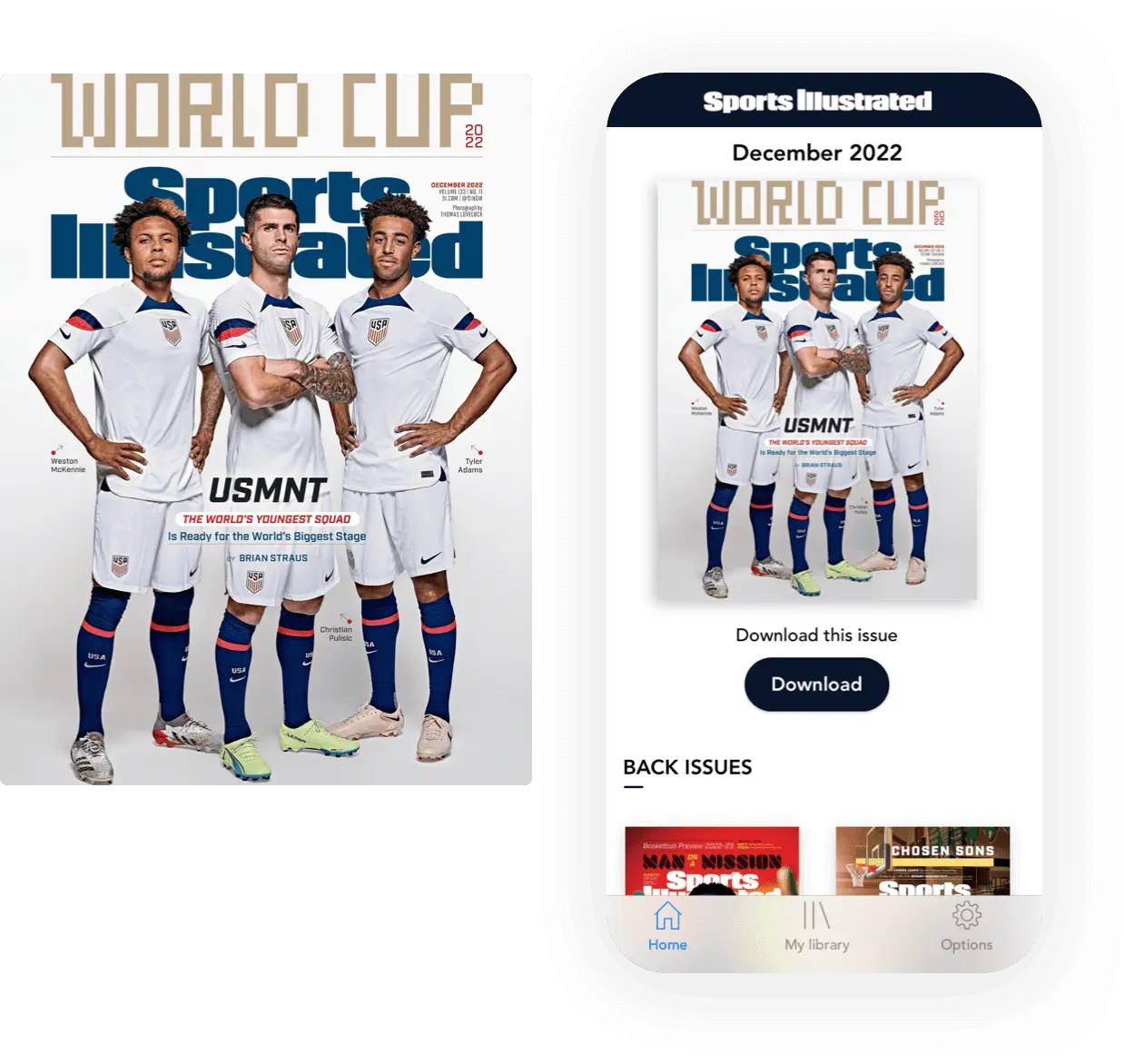
Example: The Sports Illustrated app gives subscribers a library-style experience where they can browse, download, and read all available issues they have access to. Everything lives in one organized hub, which makes the experience feel premium and easy to navigate. One key takeaway from magazine apps is that they work especially well for loyal subscribers who regularly engage with full editions and want offline access anytime.
Mobile-optimized reader with no app required
Mobile-responsive, app-free magazines combine the premium feel of a digital edition with the simplicity of the web browser. Instead of requiring readers to download an app or zoom through PDFs, the content automatically reflows into clean, single-column articles that are easy to read on phones, tablets, and desktops. This format works especially well for magazine publishers, media companies, and brands with recurring editions and subscriber audiences.
Pros and cons: The biggest advantage is the reader experience. Content is mobile-optimized, easy to navigate, and accessible instantly through a browser without passwords, downloads, or app stores. Publishers also benefit from easier distribution and lower maintenance costs compared to native apps. The only real downside is that for organizations publishing one-off brochures or occasional content, this type of platform may be more robust than necessary.
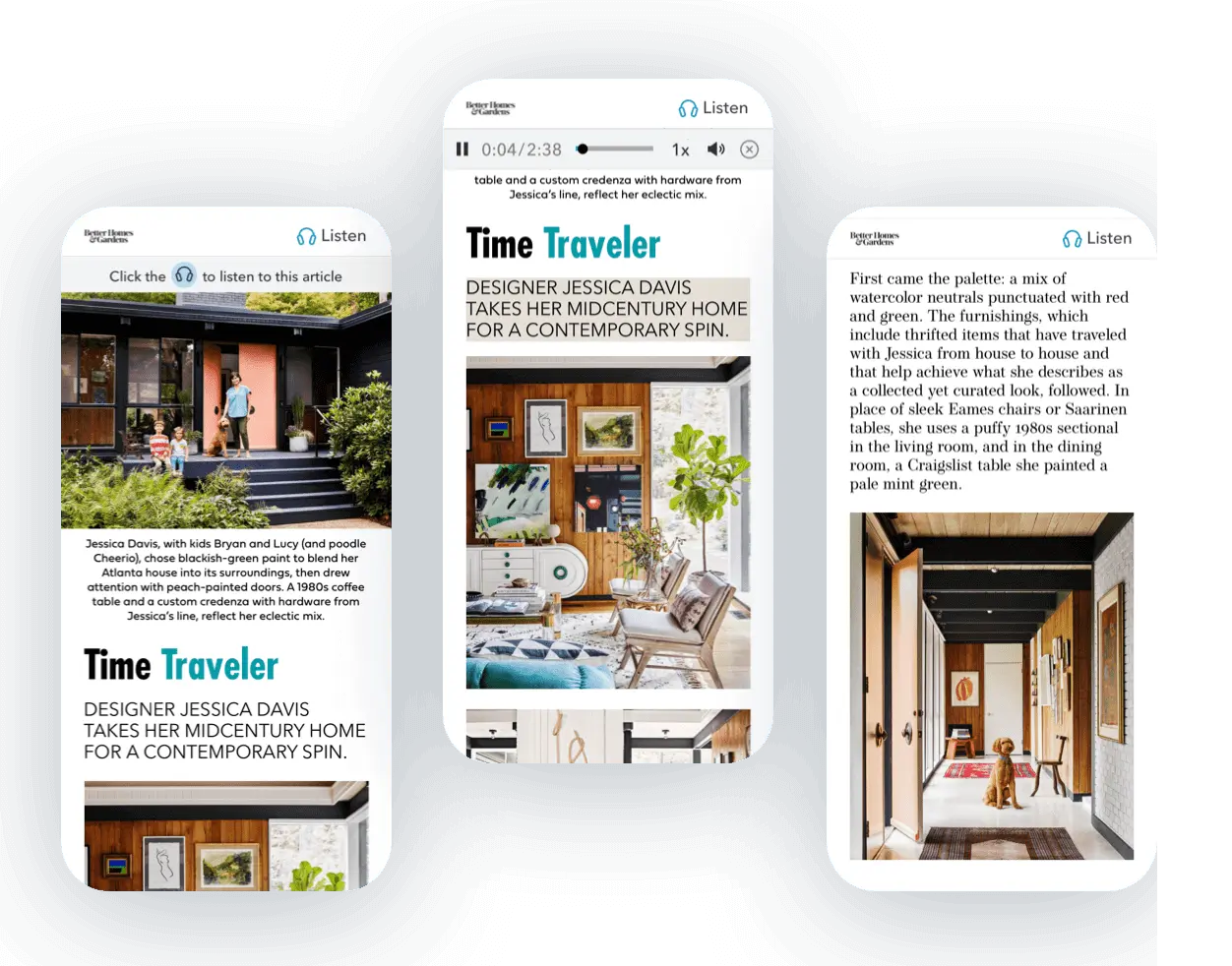
Example: Better Homes & Gardens is a great example of a mobile-responsive digital magazine done well. Articles are presented in a clean single-column format with large imagery, branded typography, and integrated article audio for on-the-go listening. The biggest takeaway is how effortless the reading experience feels across devices. Readers can simply scroll through content naturally without pinching, zooming, or downloading anything.
The benefits of publishing a digital magazine
There are many reasons why publishers are investing more heavily in digital editions—and the industry data backs it up.
Over the last several years, reader behavior has shifted dramatically toward digital content consumption. In fact, businesses that publish digital content consistently see stronger engagement, wider reach, and lower distribution costs compared to print-only strategies. According to recent content marketing research, businesses with active digital content strategies generate 55% more website traffic on average, while 83% of marketers say content helps build brand awareness and audience growth.
I’ve also seen firsthand how digital editions allow publishers to extend far beyond traditional geographic limitations. Once your content is mobile-optimized and easy to access, readers can engage with it instantly from anywhere in the world, on any device.
Some of the biggest benefits include the ability to:
- Reach readers outside of your geographical distribution
- Cater to readers looking for instant, on-the-go access to content
- Scale your readership at a much lower cost than print distribution
- Appeal to digital-first audiences who expect seamless mobile experiences
- Increase reader engagement with interactive, accessible, and easy-to-read content
- Create new opportunities for subscriptions, audio content, archives, and digital monetization
Now that we understand why digital magazines are so important, let’s dive into how to publish one.
How to publish a digital magazine
To publish a digital magazine with a top-notch reader experience, follow these steps:
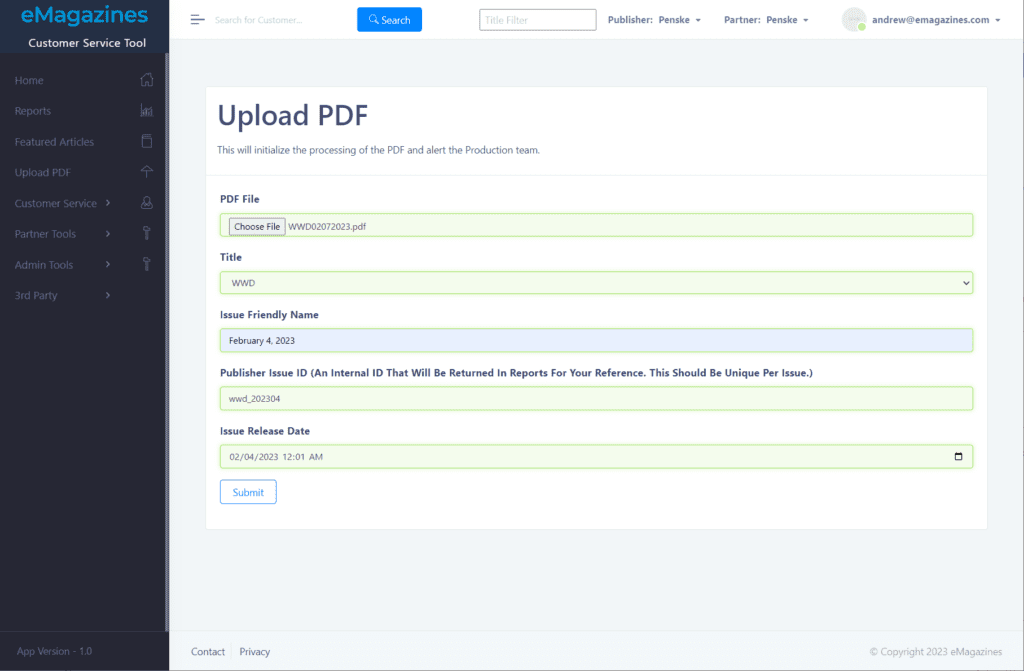
Step 1. Upload a PDF, HTML, or other supported file
The first step is to upload a supported file type to your digital magazine publishing platform. PDF is most commonly used. You’ll want to make sure you’re using a platform that reflows the PDF into a mobile optimized reading experience rather than just embedding it in a viewing widget (see our list of software below).
Step 2. Review and adjust the styling
Next, the platform will automatically convert your PDF into single-column content that is legible on any device. Here’s an example of what this looks like in eMagazines:
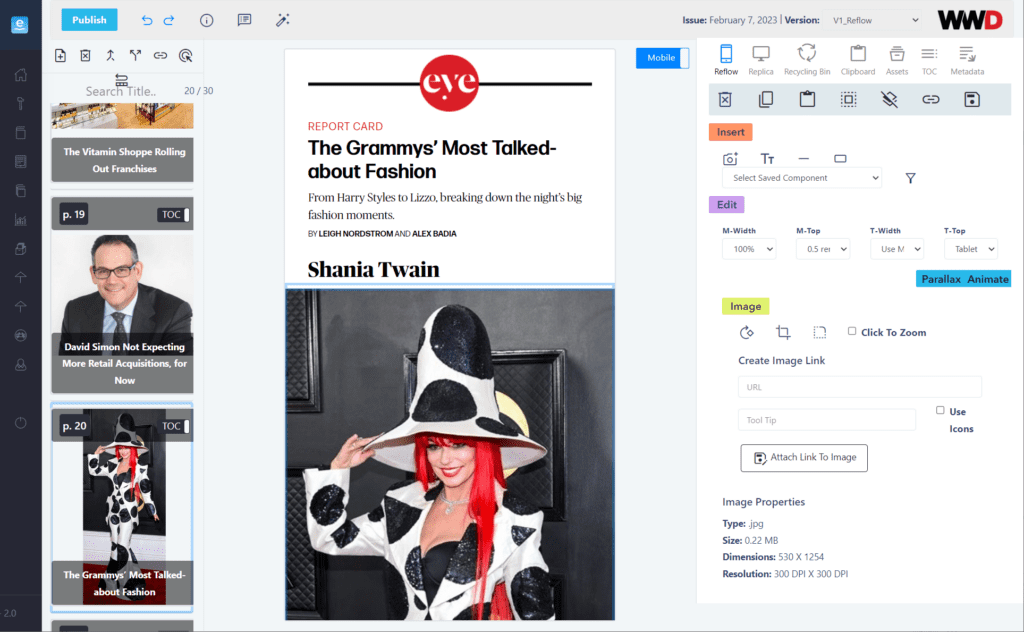
You should review every article to check the styling. eMagazines will automatically use the branding in your pdf, including fonts and colors for headlines, bylines, copy, and more. Your job is to check for brand alignment, and adjust anything at a global scale. You should also review the articles for any errors or quality issues.
Step 3. Test out the table of contents
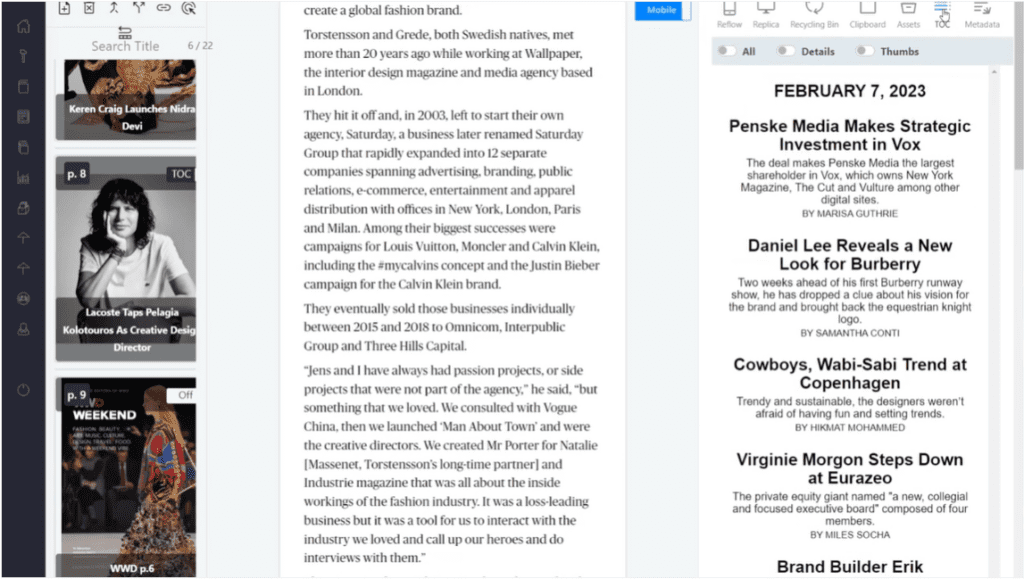
The table of contents will also be automatically generated. This allows readers to easily hop around your digital edition and select the article they want to read instead of just flipping through.
All you need to do is check the headlines, bylines, and descriptions.
Step 4. Add deep links to your cover page
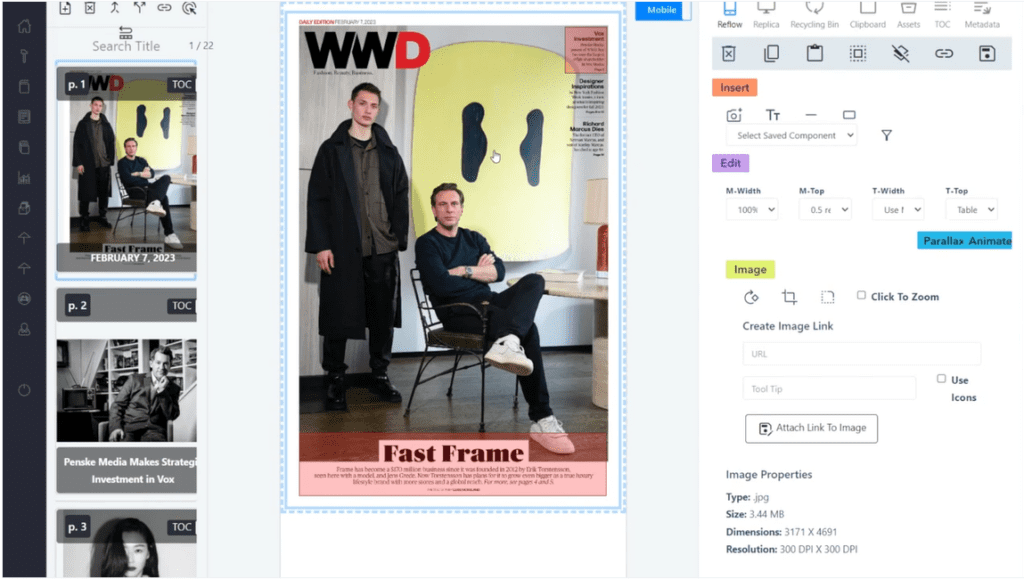
One of the awesome things about digital magazines is interlinking. Not only can readers click on articles from the table of contents, but they can also click on articles in the cover page.
You can create a link for an article featured in your cover page and then draw a square on the area where you want the link to go. Do this for all of your cover articles.
Step 5. Preview the magazine on multiple devices
The final step is to preview your magazine as a reader.
Test it out using a mobile phone, tablet, and computer.
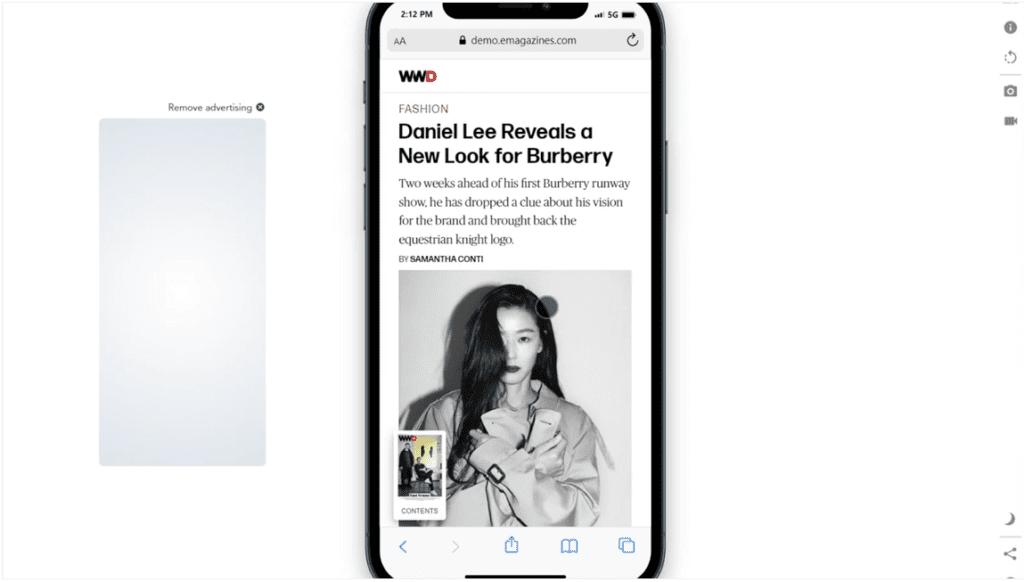
Now your magazine is ready to be distributed. Scroll to the bottom of this article for tips on delivery and distribution.
For more details (including how to automatically add article audio to your digital magazine), check out this tutorial on PDF to digital magazine conversion.
Tips for publishing a digital magazine
Publishers have much to consider when creating a digital version for the first time or revamping their current digital edition process. Follow these tips for reader experience and growth.
1. Make sure the reading experience is mobile optimized (PDFs don’t cut it)
For small creators, PDF conversion tools might do the trick. But readers expect more from media companies.
Here’s an example of a digital magazine made with Heyzine (as you can see the font comes up quite small on a laptop).
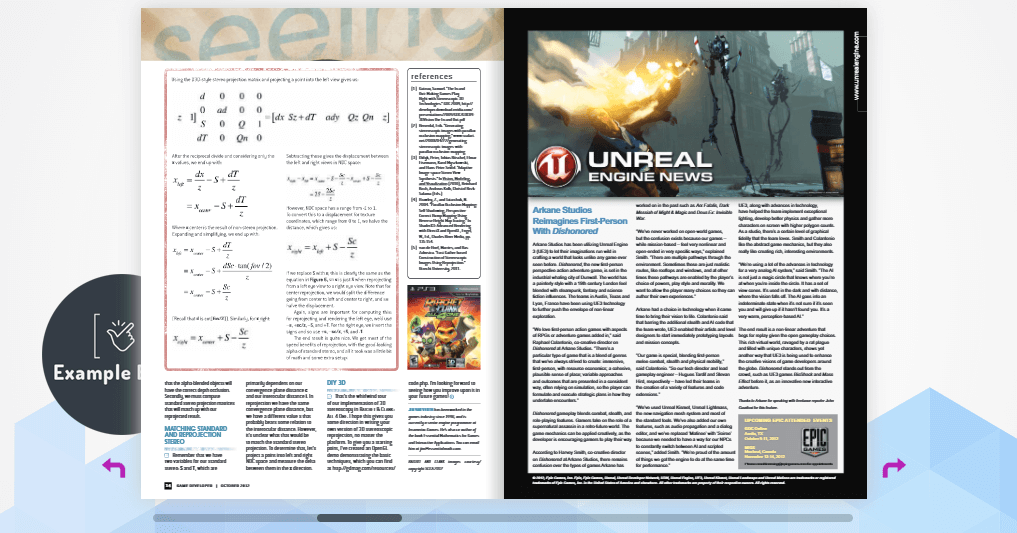
And here’s an example of how easy it is to read single-column content created with eMagazines (from People):

As you can see, it’s a lot more legible! This mobile optimized content looks great in tablets, phones, and computers. And you’re still able to retain your branding through fonts and colors.
2. Eliminate the need for passwords
Consumers today have hundreds if not thousands of passwords. If you require a password to read your digital magazine, you’re setting yourself up for a constant stream of customer support requests related to login issues. Fortunately, it’s not necessary to require user passwords to distribute content securely to paying subscribers. Instead, you can deliver digital magazines via email and/or a mobile app.
Learn more about those options here:
3. Continuously experiment with new subscription offers
It’s important to A/B test your magazine subscription order pages so you can optimize your messaging and checkout flow. But A/B testing is about more than UX and copy. To really experience an uplift in conversions, you should test the offers.
For example, you might try different prices, subscription lengths, and trial periods. You can also try different content offers that come for free with a subscription. Along with a new subscription, you might offer access to five special issues or your entire back issue archive.
4. Increase retention with a great reader experience and extra benefits
Have you ever heard the phrase “surprise and delight?” It refers to the extra benefits you offer customers that they’re not expecting. You should have a retention strategy in place that will give customers additional reasons to stay subscribed and keep consuming your content. This might include special virtual events, special edition access, community forums, and other premium add-ons that digital magazine subscribers get for free.
Of course, you’ll also want to ensure that the reading and delivery experience is seamless so subscribers can easily and regularly engage with your main content.
5. Use distribution partnerships to increase your reach
You should always be looking for ways to scale your content beyond your own customer base. And the way to do that is through customer acquisition and distribution partnerships. For example, you could partner with Hoopla and Magazine Jukebox to distribute your digital edition in airports, airlines, medical offices, and universities. For some partnerships, you might get paid for the content and for others, you might provide the content for free in the hopes that readers want more and decide to subscribe.
Publishing a digital magazine is all about easy access. So make sure to choose the solution and strategies that will please your readers the most.
6. Add article audio to increase engagement
Readers don’t always have time to sit down and read an article start to finish. By offering audio versions of your content, you can reach subscribers while they’re commuting, exercising, cooking, or multitasking throughout the day. Audio also improves accessibility and gives readers another way to engage with your premium content.

The best part is that AI-generated article audio no longer sounds robotic. Modern publishing platforms can automatically generate high-quality narration for every article, turning your magazine into a more flexible, media-rich experience without adding major production time.
7. Make your back issue archive part of the product
One of the biggest missed opportunities in digital publishing is hiding old issues instead of turning them into an asset. Subscribers love having access to past editions, especially when content is organized in an easy-to-browse archive.
A strong back issue experience increases the perceived value of a subscription and gives readers more reasons to return between new releases. It also helps new subscribers instantly feel like they’re getting a large library of premium content instead of just the latest issue.
8. Keep the experience consistent across every device
Readers switch constantly between phones, tablets, and desktops. Your digital magazine should feel equally polished everywhere, not optimized for just one screen size.
That means using responsive layouts, scalable typography, fast-loading pages, and intuitive navigation. The best digital editions don’t force readers to relearn the interface every time they change devices—the experience should feel seamless from one screen to the next.
9. Focus on reducing friction at every step
Every extra step between a subscriber and your content creates an opportunity for drop-off. Complicated logins, slow load times, app downloads, and cluttered navigation all reduce engagement.
The most successful digital magazines remove as much friction as possible. Readers should be able to open an email, click once, and immediately start reading. When the experience feels effortless, engagement, retention, and reader satisfaction tend to increase naturally.
Top 5 digital magazine publishing software
Check out these top tools for publishing digital magazines:
1. eMagazines
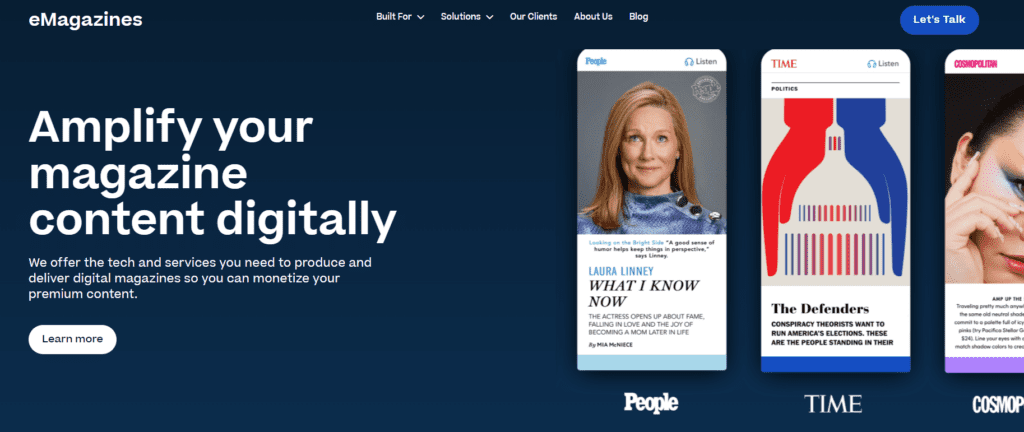
eMagazines is a software and service provider for converting print magazines to digital magazines. Unlike basic PDF magazine conversion tools, which embed your PDF in an online viewer, eMagazines completely reflows your content so that it’s easy to read on any device. Readers never have to pinch and zoom in an unoptimized PDF. Instead, they can scroll and flip through single-column content. In addition to a superior reading experience, eMagazines also offers services to help you sell, deliver, and distribute your digital magazine.
Best for: Magazine publishers (national, regional, and niche)
Top features:
- Mobile-optimized magazine reader
- White labeled experience
- No need for passwords or content downloads
- Custom services for production and delivery
- Automated article audio
- Subscriber back issue access
- Delivery to Apple News+
- Native app building and maintenance
- Customer acquisition partnerships
- Analytics and custom reporting
2. Issuu
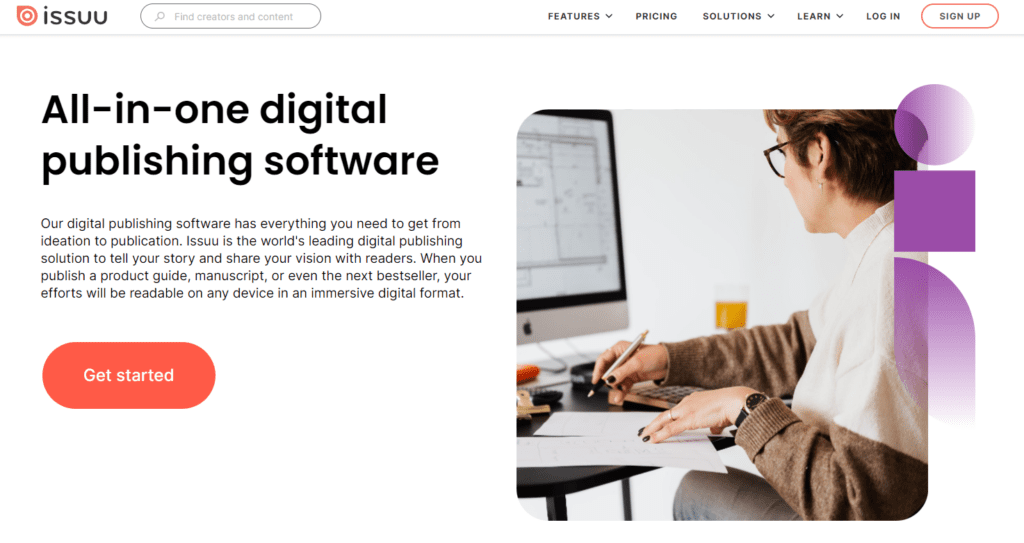
Issuu is a simple tool for publishing digital magazines. In addition to publishing digital flipbooks, you can also use Issuu for SEO blog posts, social media posts, and gifs. Keep in mind that this solution is best for content marketing and small business use cases, but it’s not a fit for distributing quality digital magazines to subscribers because the reading experience is too complex.
Best for: One-off publications
Top features:
- Works for digital magazines and catalogs
- Project management features
- SEO optimization
- Fullscreen viewing
- Sales and subscriptions management
- Payment processing
3. Flipsnack
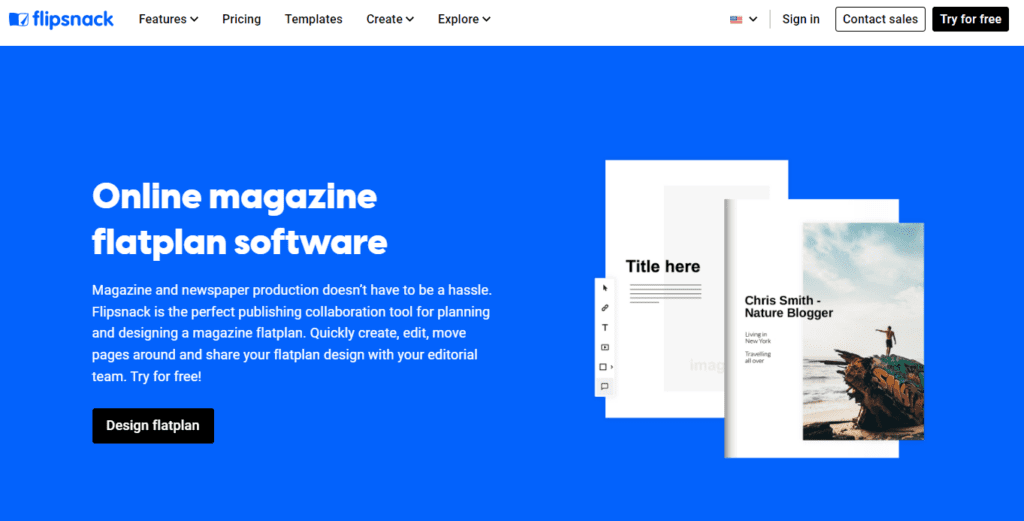
Flipsnack is similar to Issuu in that it’s a simple online software for creating digital flipbooks. If you want to publish a digital magazine, you can either upload a PDF that you designed using adobe or Canva, or you can use Flipsnack’s online design editor to create a digital magazine from scratch.
Best for: One-off publications
Top features:
- Converts PDFs to digital magazines
- Catalog design software
- QR code generator
- Custom subdomains
- Team collaboration and project management
- Content viewing analytics
4. Heyzine
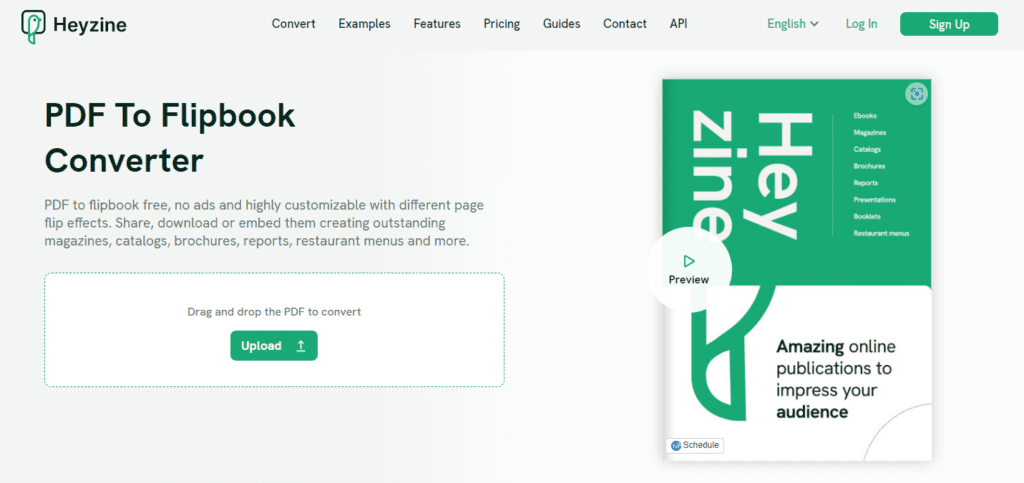
Heyzine offers a free plan that will appeal to small businesses and creators. You can use it for magazines, catalogs, brochures, reports, restaurant menus, and more. Heyzine does not offer a magazine design program, so you must have a PDF to upload. PDF content will then be embedded in a mobile viewer, however, readers will have to pinch and zoom because PDF content usually appears quite small when not in print.
Best for: One-off publications
Top features:
- Mobile responsive
- Interlinking from one flipbook or page to another
- Supports videos, audio, and pictures
- Content viewing analytics
5. Foleon
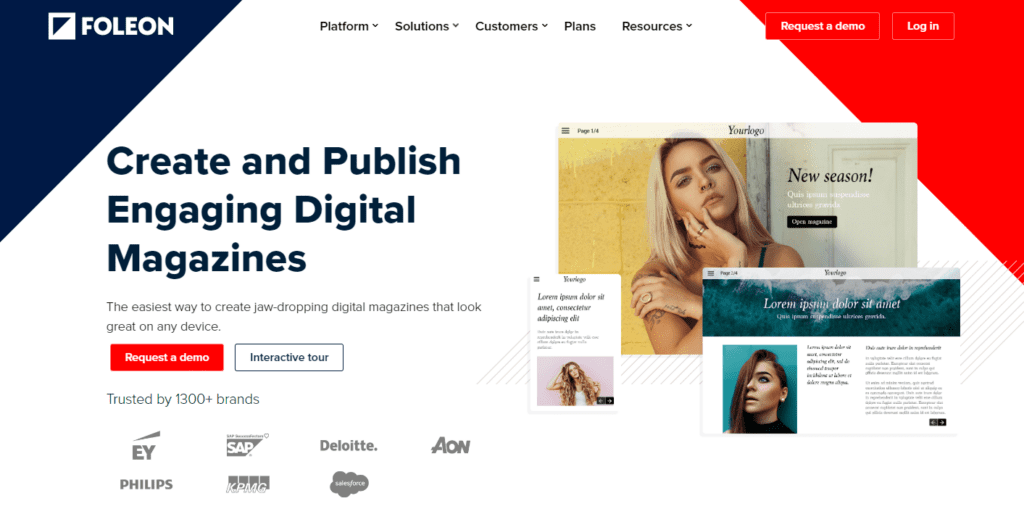
Foleon is a different sort of digital magazine software because it’s designed for enterprises rather than media companies. It offers content marketing features and integrations so that you can deliver digital magazine content at scale to both customers and internal contacts. The program can be used for marketing and employee communications campaigns.
Best for: Enterprises and marketing teams
Top features:
- Content editor
- Drag and drop magazine design
- White labeled branding
- Mobile responsive
- Templates for magazines, ebooks, and catalogs
- Integrations with marketing analytics software
- Content viewing analytics
Learn more about eMagazines’ software and services.